
Beyond the Chatbot: The Frictionless World of Generative Interfaces
How real-time AI layout rendering is moving software design past static apps and conversational text prompt boxes.
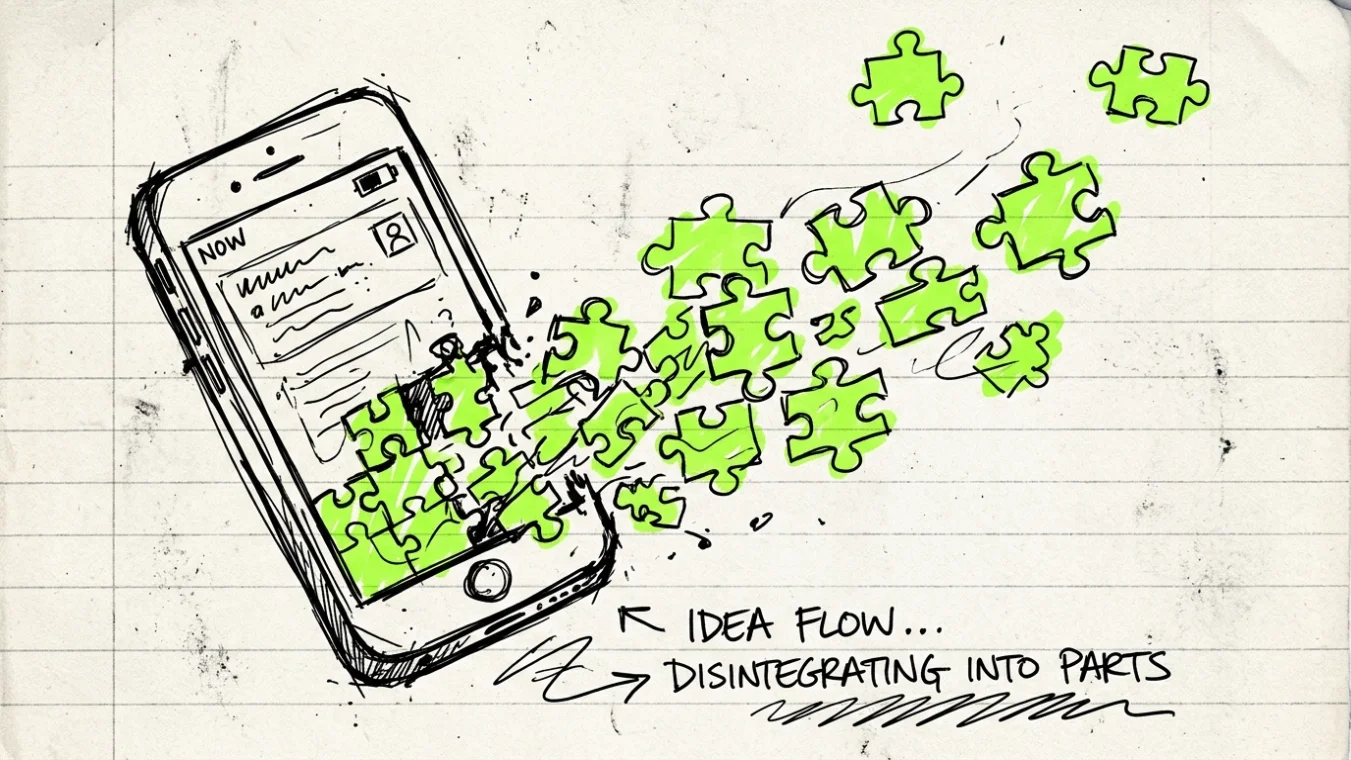
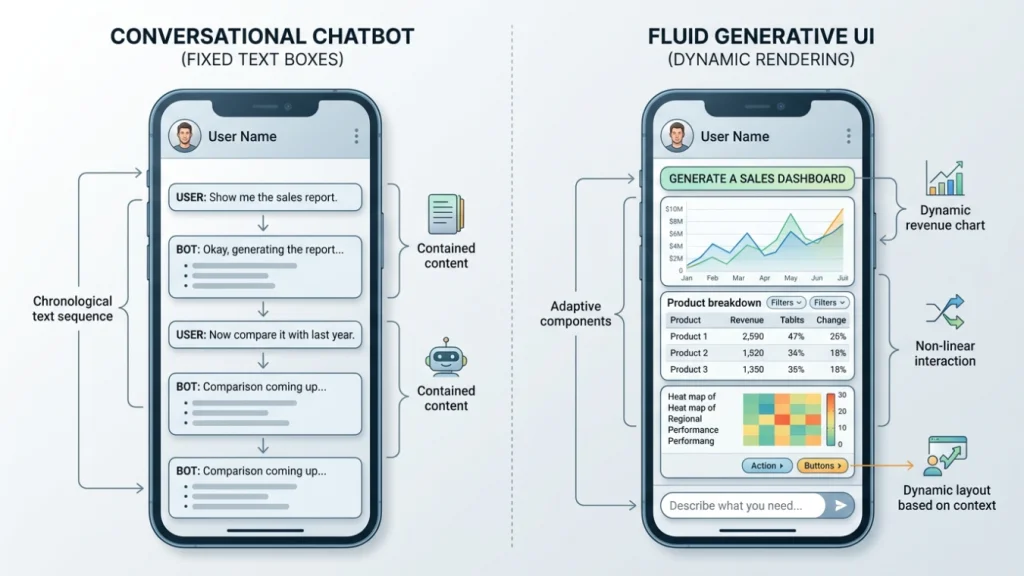
For the past few years, artificial intelligence has been trapped inside a narrow visual container: the text prompt box. Whether you open a mobile app, a web browser, or a desktop client, the primary way to interact with large language models has remained stubbornly conversational. You type a message, wait a few seconds, and read a block of generated text. If you want to modify the result, you type another message. While this chat format brought machine learning to hundreds of millions of everyday users, it also introduced a subtle form of friction. Language is versatile, but it is rarely the most efficient layout for every cognitive task.
When you want to compare seven flight itineraries across three airlines, reading 1,200 words of conversational prose is frustrating. You do not want a paragraph explaining that Flight A departs at sunrise while Flight B offers a layover in Zurich. You want a structured matrix, a price slider, an interactive timeline, and a clear button to filter by departure window. The chat interface forces complex spatial and quantitative data into a linear text stream. To understand how software is evolving beyond this bottleneck, explore our deep dives on AI and future tech explained.
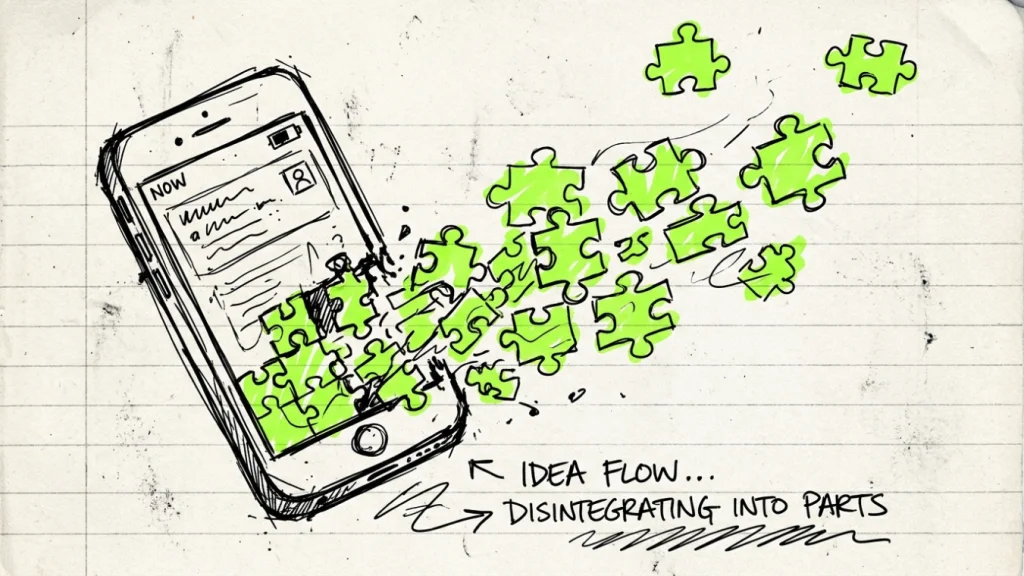
We are now entering the next major evolution in software design: Generative User Interfaces, often shortened to Generative UI. Instead of forcing users to adapt to rigid, pre-designed app screens or endless text chats, generative interfaces render custom visual components on the fly. The screen adapts in real time to match user intent, pulling together sliders, maps, forms, and interactive visual charts only when they are needed.
1. The Screen That Doesn’t Exist Yet: Dynamic Interface Construction
Traditional software development relies on static screens designed months before a user ever opens the application. Software engineering teams spend thousands of hours mapping user journeys, drafting wireframes in tools like Figma, writing fixed front-end code, and submitting application binaries to distribution platforms. When you launch a traditional banking or weather application on your phone, every single user across the globe sees essentially the same user interface elements arranged in the exact same positions.
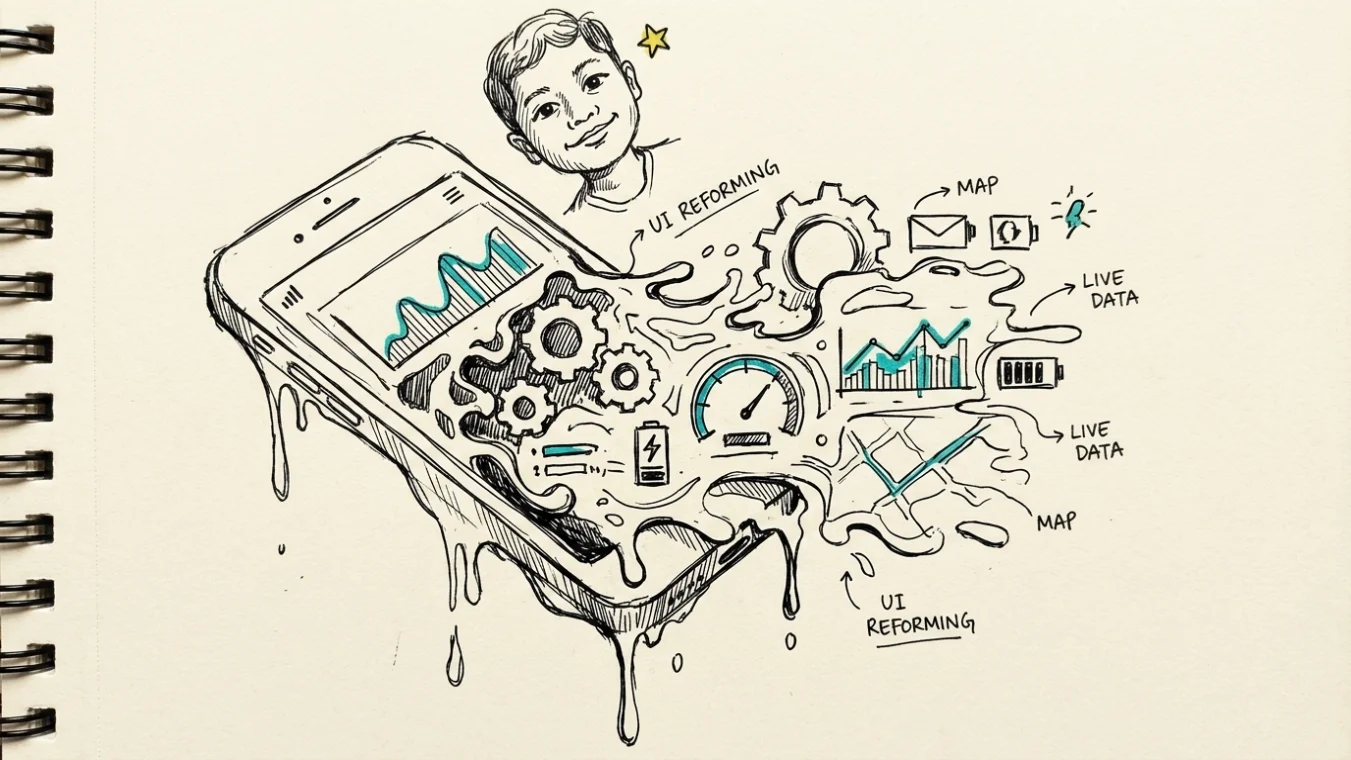
Generative UI fundamentally challenges this layout paradigm. In a generative interface, screens do not exist as static code files stored on your device or hosted on a remote server. Instead, the application interface is rendered conditionally based on what you are attempting to accomplish in that specific moment. The user layout is ephemeral, constructed in milliseconds and discarded as soon as your goal is achieved.
Consider a practical example in personal finance management. Suppose you want to calculate how changing your monthly retirement contribution from 8% to 14% affects your net take-home pay over the next 18 months. In a legacy mobile application, you would navigate through multiple menu hierarchies: open the banking app, tap settings, navigate to payroll deductions, open an external mortgage or tax calculator tab, and manually enter figures across three separate pages.
In a generative interface environment, you simply state or imply your objective. The underlying multimodal model evaluates your request alongside your secure permission context. Within 95 milliseconds, the screen constructs a tailored workbench: a dual-range slider adjusting contribution percentages, a real-time tax projection bar chart, and a single-tap button to submit the updated payroll request directly to your HR portal. The interface is not an entire application download; it is a single-purpose micro-workspace generated specifically for your immediate task.
💡 For design systems teams, preparing for generative interfaces requires breaking rigid page templates into granular, atomic design primitives. Rather than designing static pages, focus on defining strict token guidelines for typography, spacing, and accessible widget components that AI models can safely compose on the fly.
2. The Technical Mechanics of Fluid Code: How Multimodal AI Agents Work
How does software dynamically render functional user interface elements without breaking layout hierarchy or visual security? The mechanism relies on the convergence of multimodal foundation models, component design systems, and rapid web-standard compilation engines.
Instead of outputting raw text or markdown strings, the artificial intelligence model outputs structured JSON or component schemas. Modern front-end architectures utilize atomic design systems, where basic UI elements—such as input fields, date pickers, toggle switches, graphs, and action buttons—are standard, pre-vetted components. Research published by the Stanford Human-Computer Interaction Group highlights how structured component trees enable language models to safely interface with visual rendering libraries without introducing arbitrary code execution risks.
When a user prompt or ambient event triggers an interaction, the generative engine performs a multi-step execution pipeline:
- Intent Disambiguation: The model evaluates the user’s input, current app state, device factors, and historical preferences to determine the necessary workflow steps.
- Component Selection: The agent queries a validated component design system library, picking specific UI components suited for displaying the structured data.
- Schema Synthesis: The model generates an intent-driven layout schema detailing how these atomic components connect, bind to live API data feeds, and behave upon user click or tap events.
- DOM/Native Rendering: The front-end framework (such as React Native, Web Components, or Flutter) receives the layout schema and renders the UI onto the screen at native performance speeds.
This approach guarantees visual consistency while granting complete layout fluidity. Because the generated UI elements draw from the brand’s verified component library, the dynamic layout retains consistent brand colors, typography scales, accessibility tags, and security protocols. Technical standards documented in the ACM Digital Library demonstrate that constraining AI output to standardized UI component primitives reduces visual layout breaking by over 94% compared to open-ended HTML code generation.
📌 Generative UI does not mean the artificial intelligence model writes raw HTML or CSS from scratch on your phone screen. The model acts as an intelligent orchestrator, arranging pre-built, secure design components into custom dynamic layouts tailored to your exact prompt.
3. The Impending Death of the App Store: A Software Paradigm Shift
For nearly two decades, the software distribution landscape has been dominated by digital marketplaces like Apple App Store and Google Play Store. The mobile software economy was built around a specific consumer habit: identifying a discrete task, searching a centralized app store, downloading a 150-megabyte app bundle, completing account setup, and locating the needed feature inside a distinct user interface.
This fragmented application model creates substantial digital friction. The average smartphone owner maintains 80 installed applications on their device but actively utilizes only 9 of them on a regular weekly basis. The rest sit idle, consuming local storage capacity, collecting background diagnostic telemetry, and requiring continuous app update patches. For a broader perspective on how technology distribution channels are shifting, examine our analysis of future predictions and industry impact.
Generative interfaces introduce an ecosystem where application boundaries dissolve completely. When user interfaces are generated on demand based on task intent, the need for dozens of single-purpose standalone apps diminishes dramatically. Rather than maintaining separate applications for flight tracking, hotel reservations, car rentals, and currency conversion, a user initiates a single travel task within a generative operating system.
As covered in recent technology analyses by MIT Technology Review, the traditional application package model may gradually give way to decentralized API services. Software companies will no longer compete primarily on who builds the prettiest standalone app wrapper. Instead, businesses will compete on the quality, speed, reliability, and security of their backend data APIs and functional micro-services.
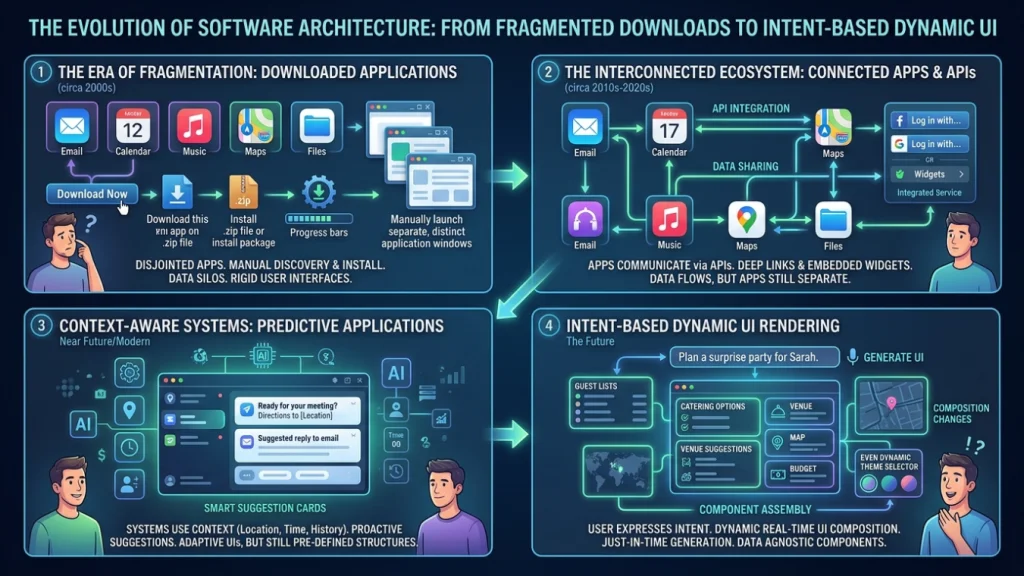
UX research insights published by Nielsen Norman Group emphasize that task-oriented software design yields significantly higher satisfaction scores among users compared to feature-dense standalone apps. By removing the mechanical overhead of application installation, login flows, and navigation learning curves, generative UI drops task completion times by up to 41% across complex multi-step digital workflows.
4. Safety, Usability, and Ergonomic Challenges
While the prospect of fluid, frictionless software interfaces is compelling, replacing stable graphical user interfaces with dynamic layout engines presents critical ergonomic and safety concerns. Software design patterns were not developed arbitrarily; they evolved over decades to align with human visual cognition and spatial memory capabilities.
The primary usability challenge introduced by generative interfaces is the potential degradation of spatial memory. Human beings navigate digital environments much like physical rooms. We rely on stable spatial anchors—knowing that the search bar is always in the top right corner, the back button is always at the top left, or the navigation bar rests at the bottom edge. When an artificial intelligence agent alters the visual screen layout during every interaction session, users can suffer from visual fatigue and cognitive disorientation.
A second major obstacle involves accessibility compliance for users with visual, physical, or cognitive impairments. Web and mobile applications are legally and ethically required to maintain accessibility standards, such as those outlined in the W3C Web Content Accessibility Guidelines. Screen readers rely on predictable DOM structures, clear aria labels, and logical focus management to navigate digital screens. If a generative interface constantly renders non-standard element layouts on the fly, screen readers may fail to announce critical controls or preserve logical keyboard tab sequences.
Furthermore, technical studies in IEEE Spectrum point out the danger of visual hallucination and dark patterns in dynamic UI generation. If an AI model hallucinates an extra charge confirmation button, mislabels a financial transfer action, or omits mandatory regulatory disclosures during an insurance application workflow, the user real-world consequences could be severe. Ensuring that AI agents maintain strict guardrails around financial, medical, and legal UI elements is an unsolved challenge in interface engineering.
⚠️ Unconstrained layout generation can destroy user trust. System designers must establish non-negotiable anchor zones—such as fixed global navigation controls and explicit confirmation dialogs for destructive actions—that an AI layout engine is never permitted to modify or move.
5. Comparing Interaction Paradigms
To better understand how generative user interfaces differ from existing interaction models, review the structured comparison below:
| Metric / Feature | Static Native Apps | Conversational Chatbots | Generative UI Frameworks |
|---|---|---|---|
| Interface Structure | Fixed pre-designed templates | Linear text stream prompt box | Fluid micro-workspaces rendered in real time |
| Cognitive Effort | High (manual menu navigation) | Medium (reading long text outputs) | Low (visual components fit task context) |
| Spatial Predictability | High (buttons remain in fixed locations) | Low (scrolling text log) | Medium-Low (requires strict global visual anchors) |
| Distribution Channel | App Store binaries & downloads | Web applications & platform plugins | On-demand API orchestration layers |
| Accessibility Support | High (static semantic accessibility tags) | Variable (text heavy, limited widgets) | Requires explicit automated guardrails |
| Primary Interaction | Manual taps, swipes, and clicks | Text typing & voice prompting | Intent-driven dynamic widget composition |
6. Preparing for Generative UI: Actionable Checklist
Product managers, UI design systems leads, and software engineers must re-evaluate their design architecture to prepare for the transition toward generative interfaces. Below is a strategic checklist for modernizing software infrastructure:
- [x] Audit Design Systems: Deconstruct monolithic page layouts into standardized, headless atomic UI components with clear props and data bindings.
- [x] Implement Semantic Metadata: Ensure every visual component in your design library includes accessibility attributes, aria tags, and explicit component intent metadata.
- [x] Expose Secure APIs: Transition internal application logic into documented micro-service APIs that AI orchestration agents can safely query and execute.
- [x] Define UI Boundary Guardrails: Establish strict global layout templates that lock critical UI elements (such as safety warnings, navigation back steps, and payment confirmation triggers) in fixed spatial coordinates.
- [x] Test Automated Layout Accessibility: Validate dynamic dynamic rendering layouts against automated WCAG compliance testing suites before deploying generative engines to production environments.
- [x] Monitor Interaction Metrics: Benchmark task completion duration, drop-off rates, and cognitive strain indicators across both static and generative user interface variants.
7. Conclusion: The Future of Human-Computer Interaction
The history of computing is a continuous journey toward lower friction. We moved from punching physical cards to typing command-line instructions, then to clicking graphical user interface icons, and most recently to tapping multitouch glass screens. Each historical leap reduced the cognitive effort required to express human intent to a silicon chip.
Conversational text chatbots were an essential stepping stone, demonstrating that machines can understand open-ended natural human speech. But forced linear text conversations are not the final destination for digital interfaces. As research from Nature Electronics indicates, human cognition thrives when spatial visual tools, tactile controls, and context-aware elements are combined seamlessly.
Generative user interfaces represent the logical next chapter. By combining the natural language understanding of multimodal AI models with the rich, interactive flexibility of atomic component design systems, software will soon cease to feel like a collection of static applications. Instead, computing screens will feel like fluid digital clay—shaping, assisting, and dissolving exactly as your intent demands.